users » Page 48 » Custom Developer Tools and VCL Components | Developer Team

ExpressQuantumTreeList 1.2 Retail ActiveX

ExpressQuantumTreeList 1.2 Retail ActiveX


ExpressQuantumTreeList Suite is a multi-purpose data visualization system that can operate as a tree or a grid in both data aware and non-data aware modes. ExpressQuantumTreeList offers a unique synergy between a traditional grid and traditional tree-views allows you to create rich application interfaces for your users. ExpressQuantumTreeList includes a robust TreeList control, and a collection of over 34 standalone field editors. ExpressQuantumTreeList Suite Source Code available.
Read more

Telerik WebParts for Sharepoint 2010/2013 R2 2020 (2020.2.512) Retail

Telerik WebParts for Sharepoint 2010/2013 R2 2020 (2020.2.512) Retail


Quickly replace the SharePoint default Editor, ListView or Calendar with the Telerik counterparts to enhance the user experience across all browsers and devices. Free your users from the tedious postbacks when resizing or reordering Grid columns, opening Editor dialogs or changing Scheduler views thanks to the client-side functionality of the Telerik web parts. Take advantage of the point-and-click configuration and the 20 built-in skins to adapt the web parts to your custom scenario. Easily access SharePoint libraries thanks to the out-of-the-box custom content providers. Use MSOCAF to test the deployment and security of the Telerik web parts.
Read more

Telerik Report Server R2 2020 (6.1.20.513) Retail

Telerik Report Server R2 2020 (6.1.20.513) Retail


Use Telerik Report Server as a standalone report management solution or integrate it easily with your application. Manage all server assets through RESTful APIs. Create custom business objects as report data. Authenticate users with Active Directory integration. Enjoy flexible rebranding. You can use Telerik Report Server as a standalone report management solution out of the box, with no additional coding required. You just need to make an initial set up through the web management console on the server to enable report creation, management, previewing and sharing. Utilize a variety of line-of-business features with just a few clicks.
Read more

ReportBuilder Enterprise v20.03.182 for Delphi 10.4 Sydney

ReportBuilder Enterprise v20.03.182 for Delphi 10.4 Sydney


ReportBuilder is the defacto standard for Delphi reporting solutions. Delphi developers have consistently voted ReportBuilder Product of the Year (1999 – 2002) and Best Reporting Tool (1999 – 2003). The genesis of ReportBuilder was the desire to deliver a product that does for Reporting what Delphi has done for Windows programming. In that spirit, ReportBuilder provides both a RAD environment and an object-oriented platform for solving the reporting equation.
Read more

DevExpress Components for .NET v20.1.3.20153

DevExpress Components for .NET v20.1.3.20153


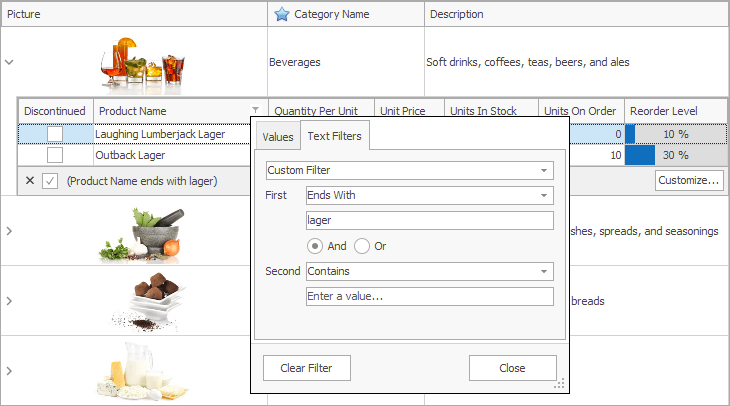
The DevExpress WinForms Subscription ships with a comprehensive suite of Office-inspired user interface components. From our award-winning Data Grid and Ribbon to our Excel-inspired Spreadsheet and Word-inspired Rich Text Editor for Windows Forms, this subscription has everything you'll need to create apps that are both beautiful and easy-to-use.
Read more

MstHtmlEditor for .NET 4.0 v20.5.28

MstHtmlEditor for .NET 4.0 v20.5.28


The powerful editing control, MstHtmlEditor for .NET WinForms allows even non-technical users to author and manage html content utilizing the familiar Microsoft Word processor-like interface for formatting text, setting hyperlinks, building tables, as well as inserting images, Symbols, etc. Leverage the large range of built-in tools, dropdowns, dialogs and system modules or take advantage of the multiple customization options.

Download the HtmlEditor Control for .NET 2.0 (Based on .NET 2.0, compatible with .NET 3.0+)
Download the HtmlEditor Control for .NET 4.0 (Based on .NET 4.0, compatible with .NET 4.5+)
MstHtmlEditor is a .NET WinForms component that can be integrated into your C#, VB.Net and WPF applications.
Read more

DevExpress VCL 19.1.2 for Delphi 10.4 Sydney

DevExpress VCL 19.1.2 for Delphi 10.4 Sydney


Deliver the solutions your customers expect today and leverage your existing VCL skillset to build next generation applications for tomorrow. The DevExpress VCL product line allows you to create applications that emulate the touch-first experience that lies at the heart of Windows 8, without abandoning your existing VCL investments. Whether you need to create a tile based modern UI application for Vista, Windows 7 and 8, or need to quickly convert an existing application so that it’s touch-first for Microsoft Surface, the DevExpress VCL Subscription will help you take your business solutions forward so you can deliver new, immersive experiences to delight your users.
Read more

GleamTech FileUltimate v8.0.0.0 Retail

GleamTech FileUltimate v8.0.0.0 Retail


The file manager looks and feels like Windows File Explorer and follows user interface guidelines. Let your users easily manage their files with the comfortable and intuitive approach already known from the daily desktop working environment and minimize user learning curve. Actions are both represented on the ribbon (top) toolbar and in the context menus and they are automatically disabled/hidden when not available e.g. when corresponding permissions are not granted. This way users will only see the actions that are available to them and they will not be confused.
Read more

GleamTech FileUltimate v7.3.7.0 Retail

GleamTech FileUltimate v7.3.7.0 Retail


The file manager looks and feels like Windows File Explorer and follows user interface guidelines. Let your users easily manage their files with the comfortable and intuitive approach already known from the daily desktop working environment and minimize user learning curve. Actions are both represented on the ribbon (top) toolbar and in the context menus and they are automatically disabled/hidden when not available e.g. when corresponding permissions are not granted. This way users will only see the actions that are available to them and they will not be confused.
Read more