visual » Page 123 » Custom Developer Tools and VCL Components | Developer Team

Wallaby.js for Visual Studio Code v1.0.121

Wallaby.js for Visual Studio Code v1.0.121


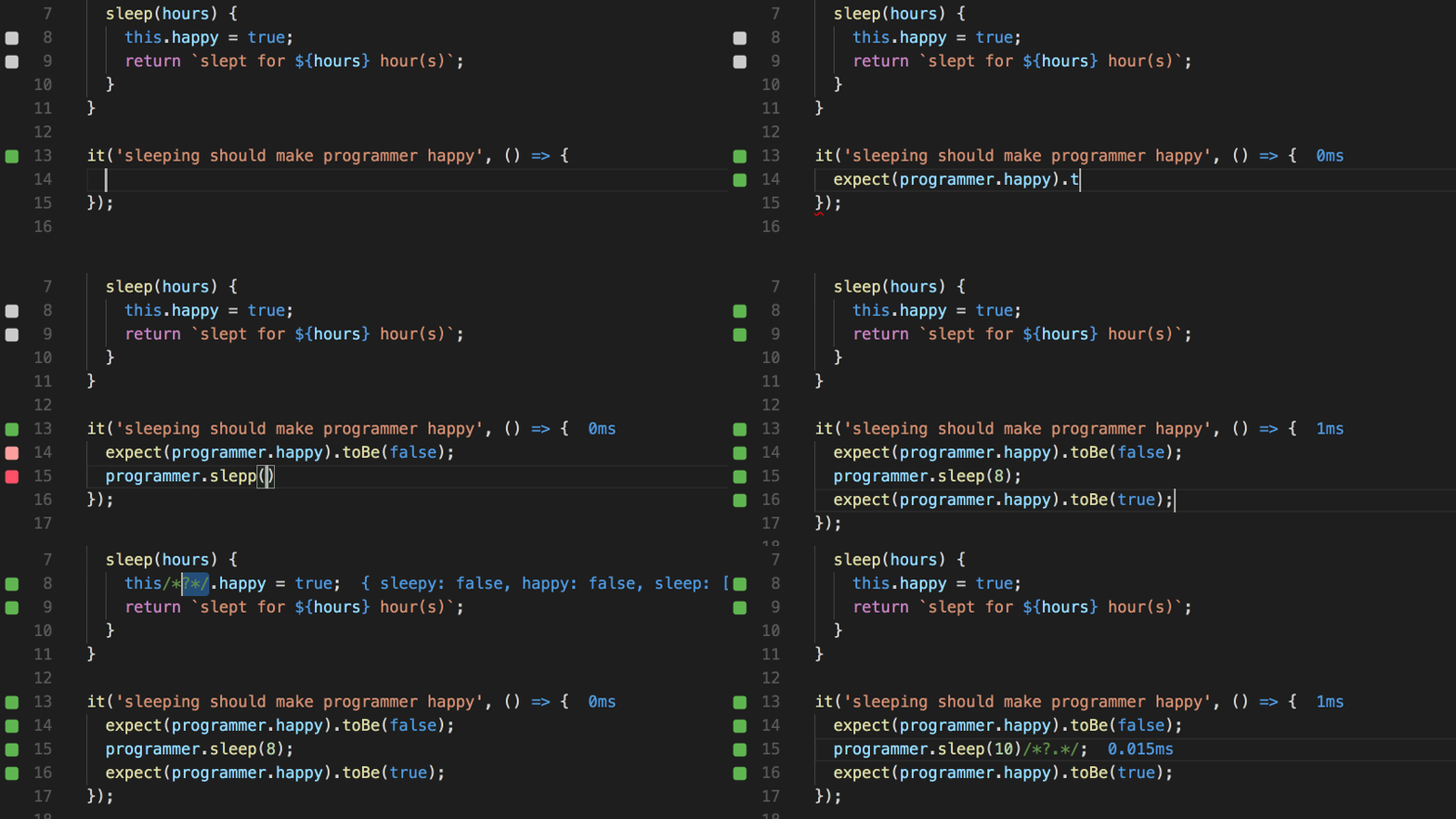
Wallaby.js is an integrated test runner that enables highly productive jаvascript (or TypeScript, or CoffeeScript) unit testing workflow. It runs your unit tests immediately as you type and displays various execution results, including code coverage and inline messages, right inside your code editor. The tool is insanely fast, because it only executes tests affected by your code changes and runs your tests in parallel.
Read more

Typemock Isolator 8.6 Complete Perpetual/Build Server

Typemock Isolator 8.6 Complete Perpetual/Build Server


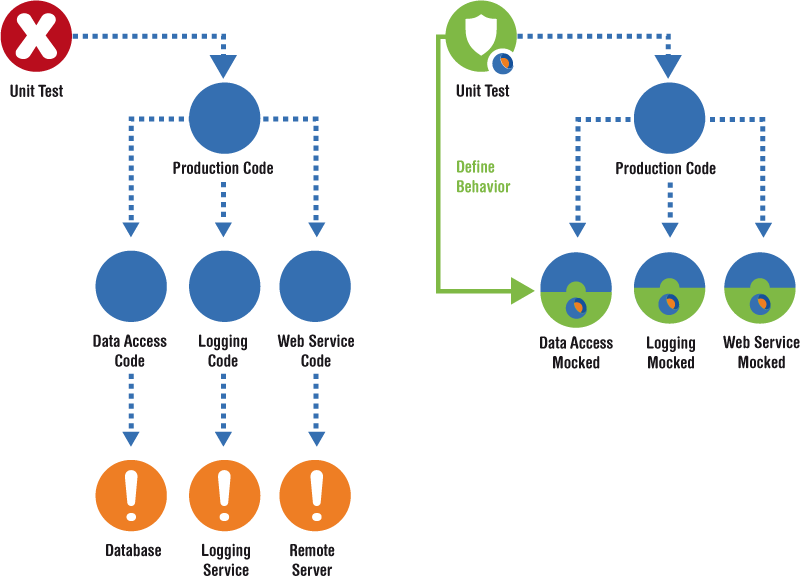
Your Complete Unit Testing Solution for .NET. Powerful. And it’s the first of its kind. Which means you can fake more than just public virtual methods. And you can reach higher test coverage in a fraction of the time. You can fake statics, private, constructors, events, linq, ref args, live, future, static constructors. You name it.
Read more

Appracatappra Action Components v4.5 for Xamarin

Appracatappra Action Components v4.5 for Xamarin


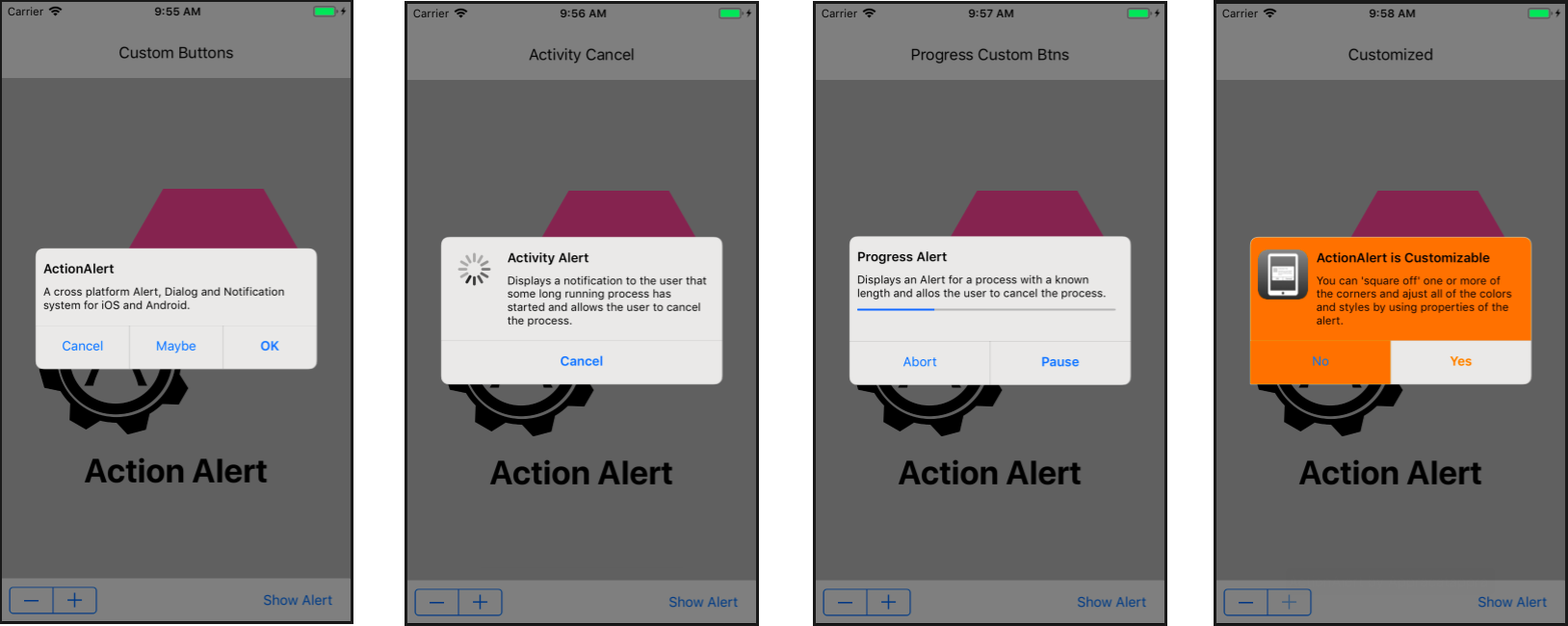
Action Components not only work great but they look great too! Each one is highly customizable to fit the look and feel of your app. For iOS and Android development in C# and .NET using the Xamarin Platform and Visual Studio. Each control’s UI is drawn entirely in vectors allowing them to be totally resolution independent thus ensuring your mobile app looks its best on every platform and OS.
Read more

Codinion - Visual Studio Extension for C# and VB.NET Developers v1.0.2.34

Codinion - Visual Studio Extension for C# and VB.NET Developers v1.0.2.34


Syntax Highlighting improves the understanding of source code by changing the font and/or the background. Code elements can be detected more quickly using highlighting. It allows a visual distinction of fields, properties, method parameters, variables, classes, structures, enumerations, methods, events and much more.
Read more

Whole Tomato Software Visual Assist X 10.9.2324

Whole Tomato Software Visual Assist X 10.9.2324


Visual Assist X dramatically reduces application development time with key new features and improvements to existing features in Visual Studio, allowing you to: Visual Assist increases automation, simplifies navigation and displays vital information as you develop. The features are so well integrated into the IDE that it is difficult to distinguish what Visual Assist X provides and what is built into the IDE. One thing is certain, you like your IDE more when Visual Assist X is installed. Visual Assist X provides assistance for all of the programming languages of Microsoft Visual Studio 2005 and Microsoft Visual Studio .NET, including C/C++, C#, ASP, Visual Basic, Java and HTML. The product also offers assistance for C/C++ users of Microsoft Visual C++ 6.0 and 5.0.
Read more

PVS-Studio 7.01

PVS-Studio 7.01
PVS-Studio 7.01


The PVS-Studio tool is intended for developers of contemporary applications and it integrates into the Visual Studio 2017, 2015, 2013, 2012, 2010, 2008, 2005 environments providing the programmer with a convenient user interface to analyze files, navigate through code and get reference information. You do not need to study documentation and settings preliminarily to work with the analyzer. The analyzer is ready to work right after it is installed.
Read more

Supercharger v1.6.0.1005 Business License for Visual Studio 2013-17

Supercharger v1.6.0.1005 Business License for Visual Studio 2013-17


The best navigational tool for Visual Studio just got better. Relying on a Roslyn-based custom-built file code model, this new version of CodeMAP is perfectly accurate, immensely faster, with an impeccable notification system and almost imperceptible UI thread overhead. If you're not already, you will get addicted to CodeMAP's elegant and efficient presentation. Everything is there: sorting, grouping, nested code representation, code collapsing with editor sync, navigation history, member highlighting with editor sync, drag'n drop reordering, built-in and custom views etc. Testimony to CodeMAP's flexibility and power are its amount of options. You can customize almost anything you can think of in order to make it yours.
Read more