databases » Page 24 » Custom Developer Tools and VCL Components | Developer Team

SQLite Expert Professional 5.4.47.591

SQLite Expert Professional 5.4.47.591


SQLite Expert is a powerful visual tool that enables you to easily administer your SQLite3 databases and gain significantly better visibility into how your databases are operating. SQLite Expert integrates database management and maintenance into a single, seamless environment, with a clear and intuitive graphical user interface.
Read more

SQL Backup Master 6.4.634

SQL Backup Master 6.4.634


SQL Backup Master backs up your SQL Server databases to any number of popular cloud storage services such as Dropbox, OneDrive, Amazon S3, Microsoft Azure, Box, and Google Drive. It can also back up databases to an FTP server - or a folder on your local machine, network server, or storage device.
Read more

SQL Backup Master 6.4.630

SQL Backup Master 6.4.630


SQL Backup Master backs up your SQL Server databases to any number of popular cloud storage services such as Dropbox, OneDrive, Amazon S3, Microsoft Azure, Box, and Google Drive. It can also back up databases to an FTP server - or a folder on your local machine, network server, or storage device.
Read more

Devart dotConnect Universal v4.0.151.0 Professional

Devart dotConnect Universal v4.0.151.0 Professional


dotConnect Universal offers universal access to data of different databases for the Microsoft .NET Framework. It supports most of major database servers, including Microsoft SQL Server, Microsoft Access, Oracle, DB2, MySQL, PostgreSQL, SQLite, InterBase, and Firebird. Other servers can be accessed through their ADO.NET, OLE DB and ODBC providers.
Read more

SQL Backup Master v6.3.623

SQL Backup Master v6.3.623


SQL Backup Master backs up your SQL Server databases to any number of popular cloud storage services such as Dropbox, OneDrive, Amazon S3, Microsoft Azure, Box, and Google Drive. It can also back up databases to an FTP server - or a folder on your local machine, network server, or storage device.
Read more

CData PowerShellCmdlets Connectors Windows Build v21.0.7930

CData PowerShellCmdlets Connectors Windows Build v21.0.7930


Standard PowerShell modules offering straightforward integration with more than 225+ popular data sources, including NoSQL & Big Data databases, CRM, ERP, Accounting Systems, Marketing Automation, cloud platforms, and more. The Cmdlets offer a simple Transact-SQL interface for connecting with data, virtually identical to how a user would interact with a relational database like SQL server from PowerShell.
Read more

SQL Backup Master v6.3.620

SQL Backup Master v6.3.620


SQL Backup Master backs up your SQL Server databases to any number of popular cloud storage services such as Dropbox, OneDrive, Amazon S3, Microsoft Azure, Box, and Google Drive. It can also back up databases to an FTP server - or a folder on your local machine, network server, or storage device.
Read more

SQL Backup Master 6.3.617

SQL Backup Master 6.3.617


SQL Backup Master backs up your SQL Server databases to any number of popular cloud storage services such as Dropbox, OneDrive, Amazon S3, Microsoft Azure, Box, and Google Drive. It can also back up databases to an FTP server - or a folder on your local machine, network server, or storage device.
Read more

Exportizer Enterprise 9.1.8.244 (x64) Multilingual

Exportizer Enterprise 9.1.8.244 (x64) Multilingual


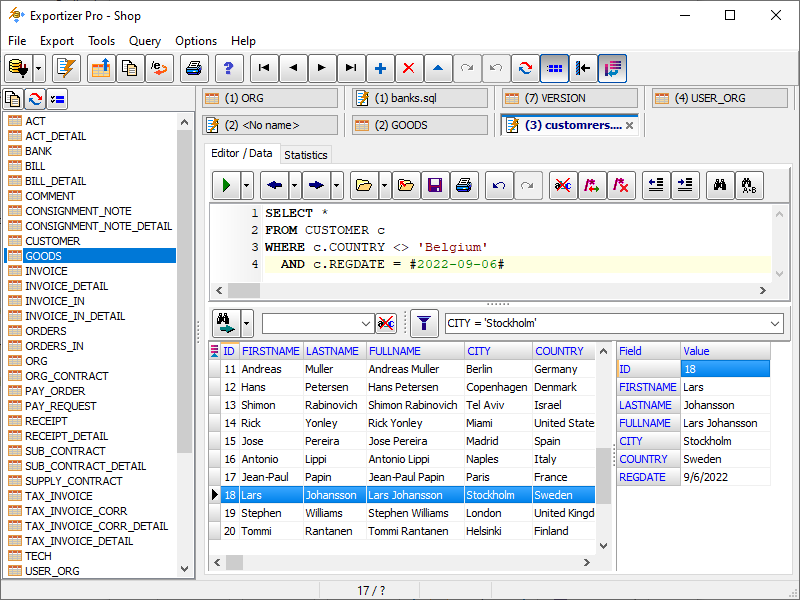
Exportizer is a free database export tool. It allows to export data to file, clipboard, or printer. Exportizer works via BDE or ADO. It can convert DB, DBF, text, CSV to text, CSV, XLS, RTF, XML, HTML, DBF, INSERT statements. Many export options ensure full control over output. There is an ability to specify the source-to-target field mappings. Export operations can be performed either via the program interface or via command line with a large number of parameters. You can easily generate needed command line directly from the GUI. It is possible to copy data to clipboard or print them. There are several utility functions for data manipulating and bookmarking.
Read more